MyRekord · Healthcare product design
What happens after a lab result?
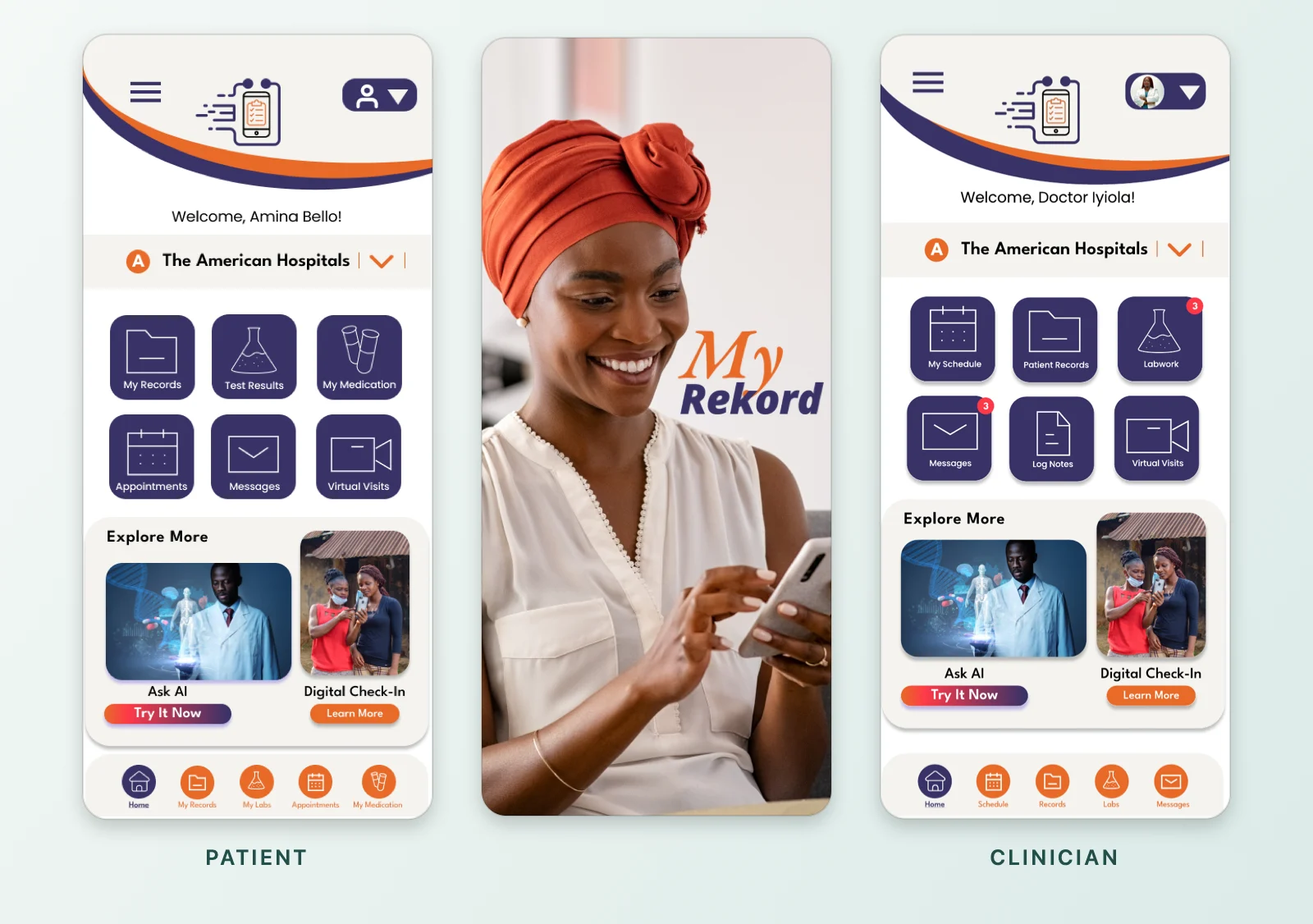
I led discovery and independently designed MyRekord, a proposed healthcare platform for patients and care teams in Nigeria. I took the project from research and concept through role-based workflows, high-fidelity mobile and desktop interfaces, and interactive Figma prototyping.
I found that a patient’s information didn’t reliably follow them through care. I used the lab report to show how the design could help at one of those handoffs. A patient can ask the ordering physician a question directly from the report. A clinician can open the follow-up calendar from the test details.
- Presented
- June 2025
- Platforms
- Mobile and desktop
- Roles designed
- Patient, clinician, lab technician, hospital administrator
- Tools
- Figma
The system
How one lab result moves
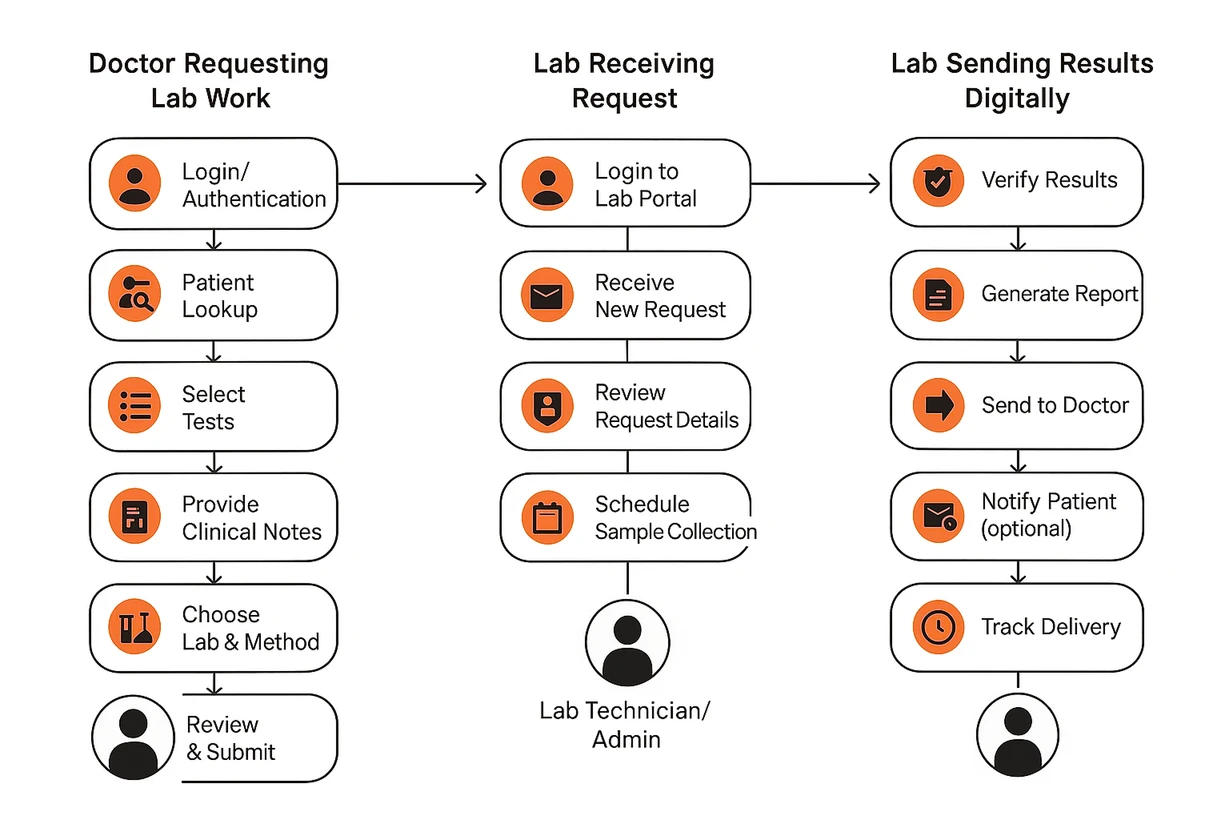
I mapped a proposed workflow for how a lab result moves between roles, in three stages. The patient, clinician, lab technician, and hospital administrator examples below are views into this proposed workflow.
-
01
Request lab work
Doctor
- Log in
- Look up the patient
- Select tests
- Provide clinical notes
- Choose lab and method
- Review and submit
- Request goes to the lab
-
02
Process the request
Lab technician or admin
- Log in to the lab portal
- Receive new request
- Review request details
- Schedule sample collection
- Lab moves to results
-
03
Return results
Lab
- Verify results
- Generate report
- Send to doctor
- Notify patient (optional)
- Track delivery
Handoff between roles Optional step
View the original workflow map
Patient
Ask about a result
Patients described difficulty reaching their care teams. I put Message Physician on the report and prefilled the physician, facility, and test-related subject. The patient can go straight to writing their question. The simulated confirmation identifies the recipient and sets expectations for a reply.
Swipe to see each step
-
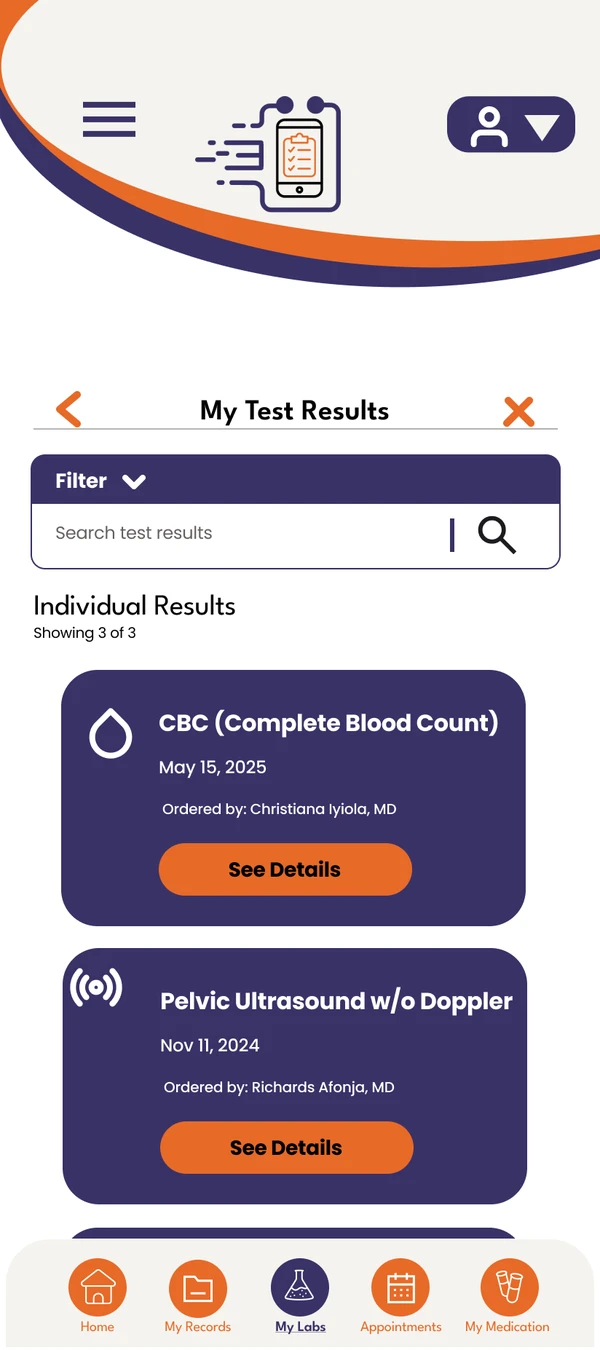
01Results list -
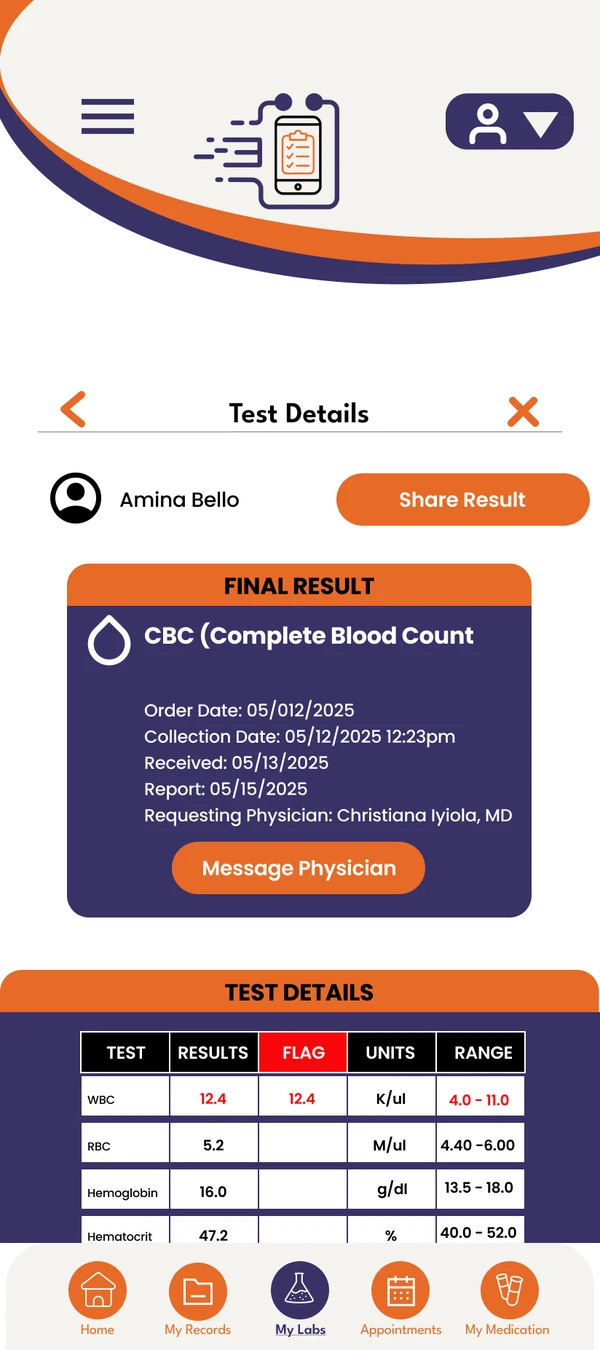
02CBC report -
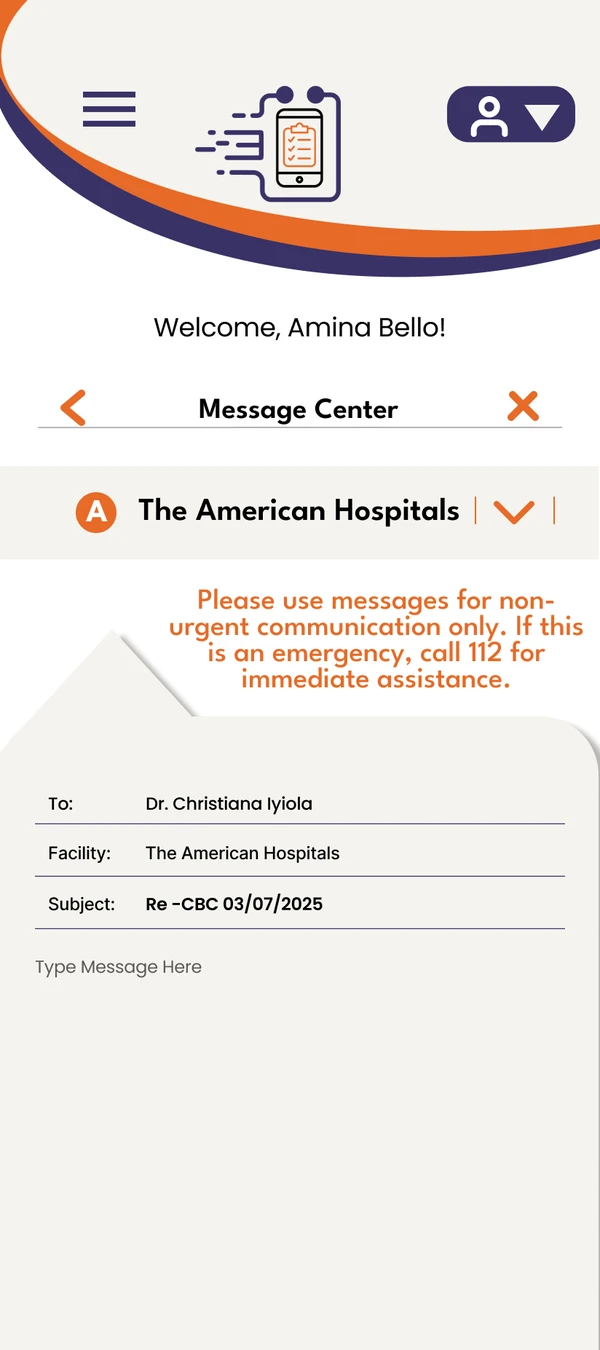
03Prefilled message -
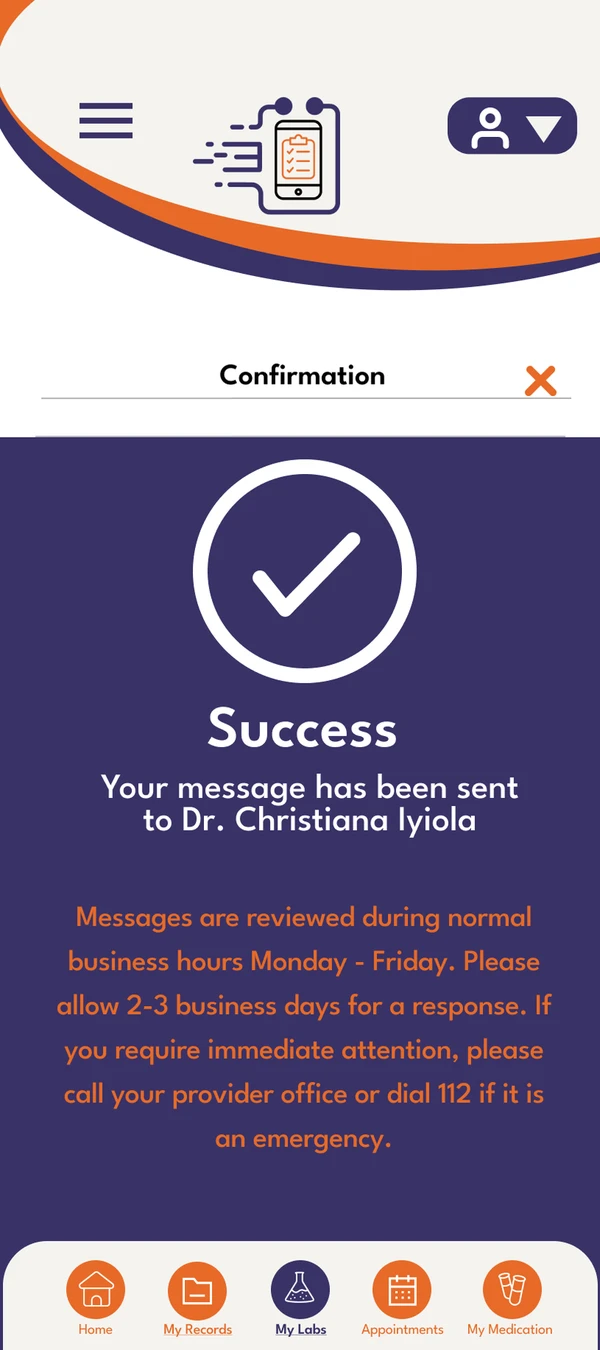
04Send confirmation
Message Physician sits on the report itself and opens the prefilled message in step 03.
Clinician
Move from review to follow-up
I placed Make Appointment with Patient on the test detail screen so clinicians could move directly from reviewing a result to the next scheduling step. The prototype walkthrough ends at the follow-up calendar.
Swipe to see each step
-
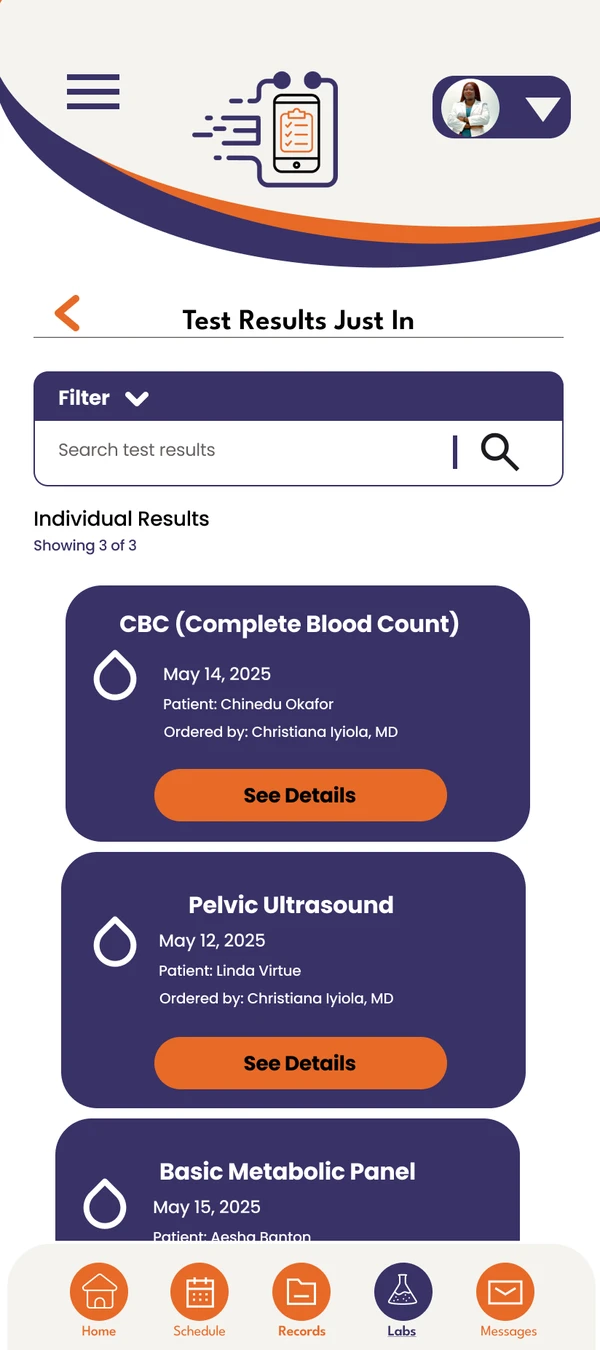
01Results list -
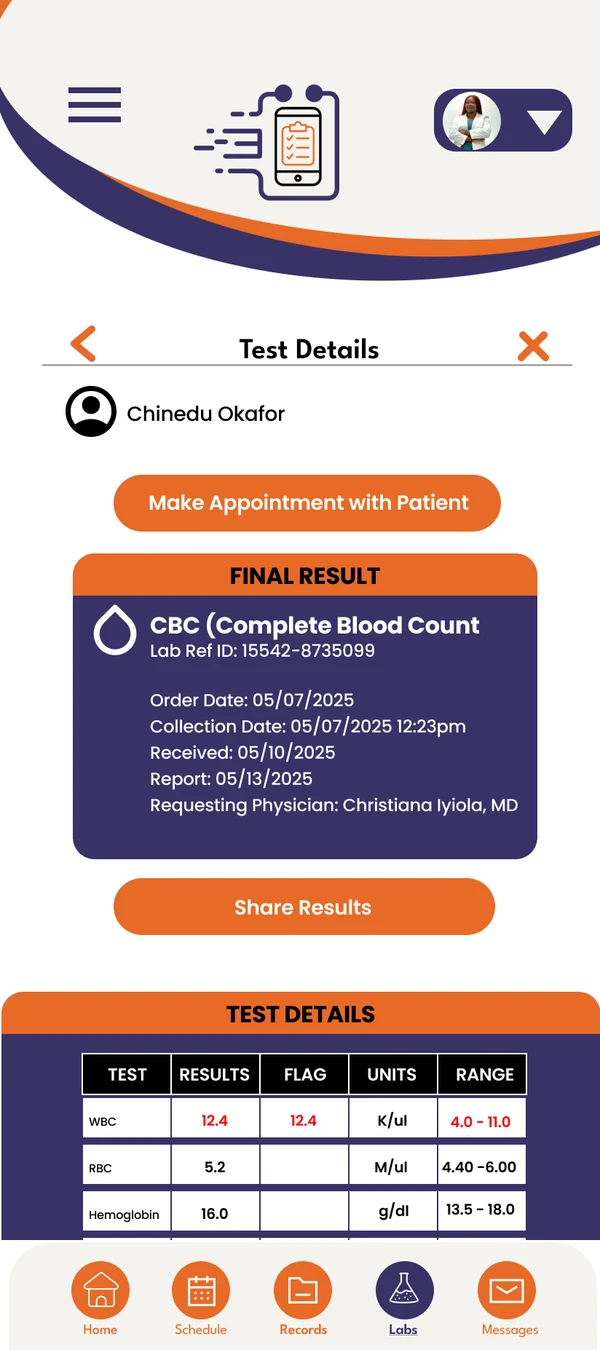
02CBC report with Make Appointment with Patient -
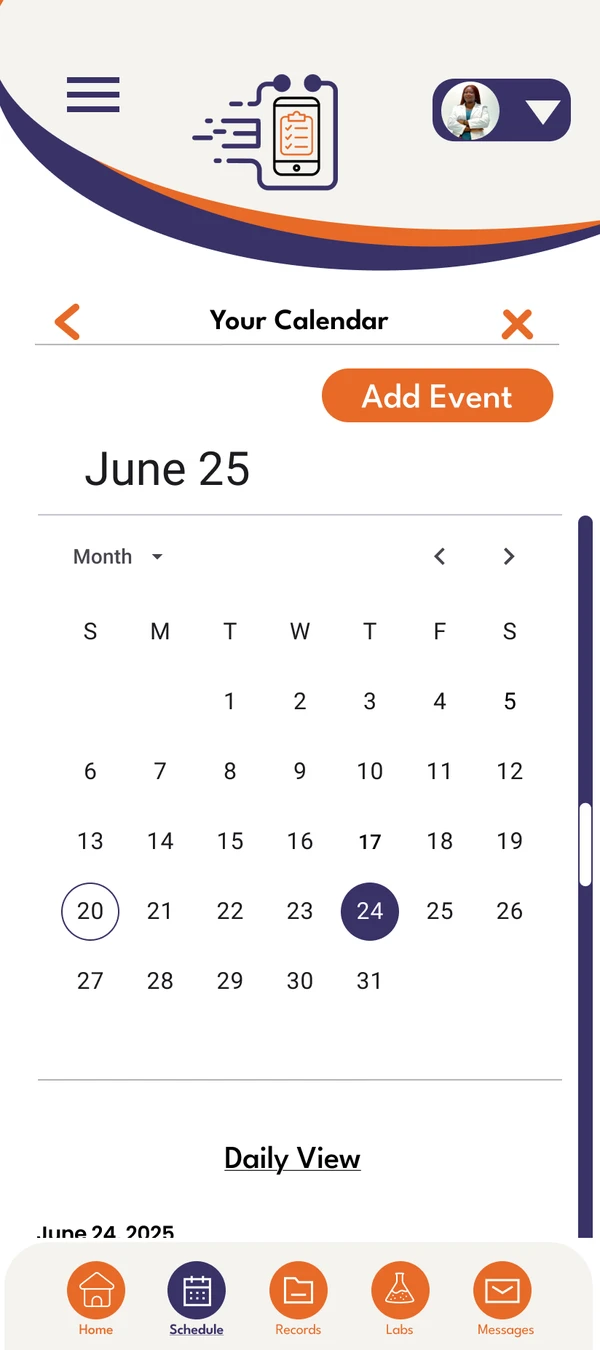
03Opening the follow-up calendar
Make Appointment with Patient sits on the test details and opens the follow-up calendar in step 03.
Desktop operations
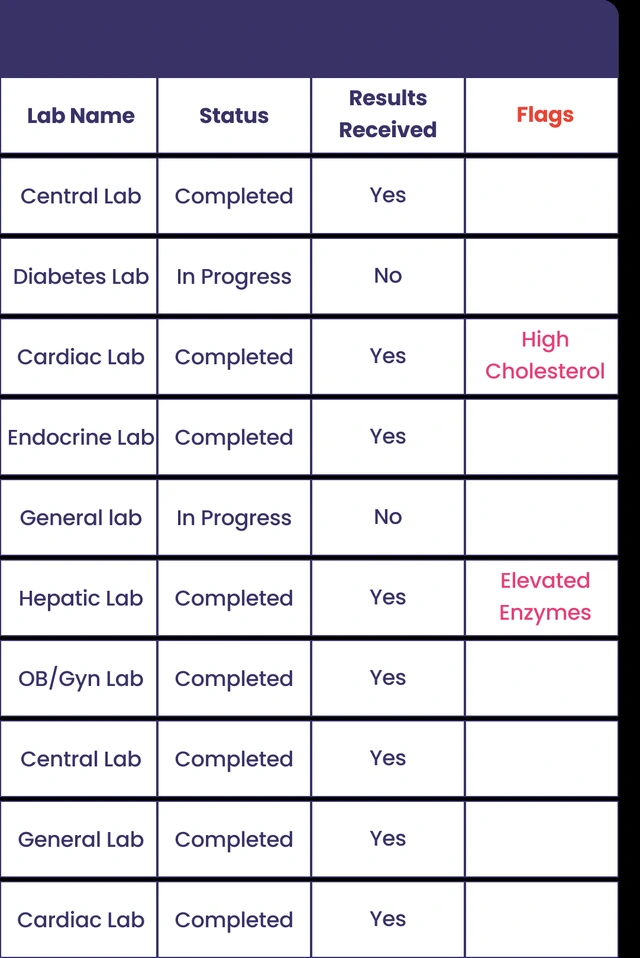
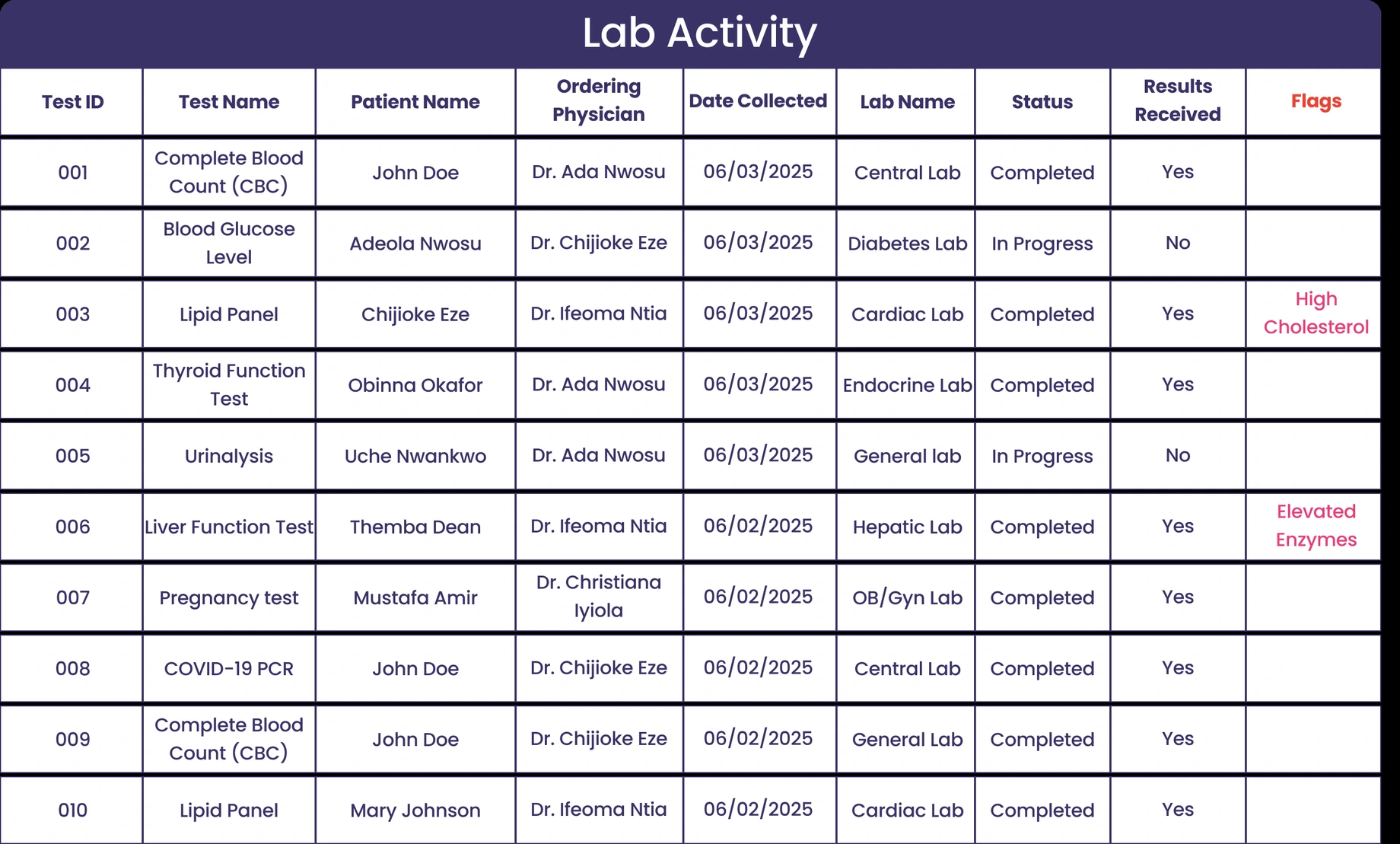
Lab delays also surfaced in discovery. I designed two desktop workspaces around different responsibilities. Lab technicians need the details of an individual request. Hospital administrators need to see which tests are still in progress and whether results have come back across labs.
Lab technician
Review an incoming order
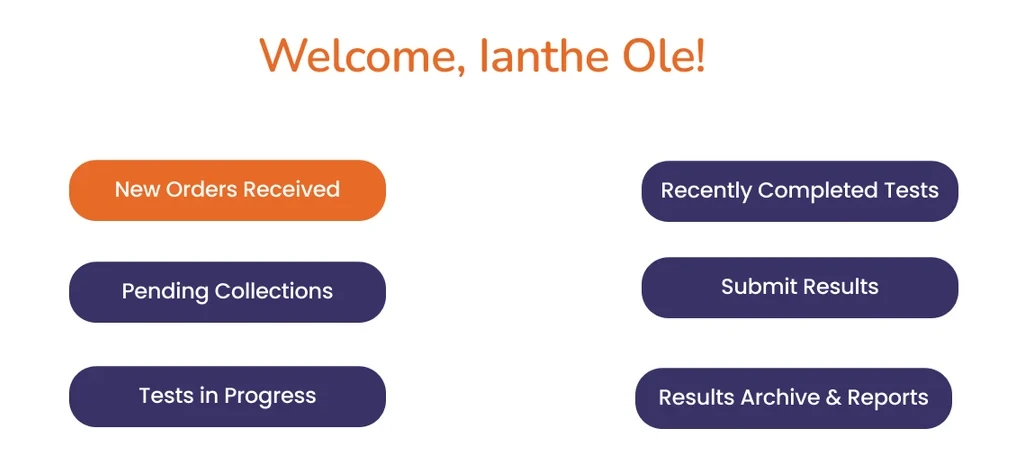
QueueOrders Received
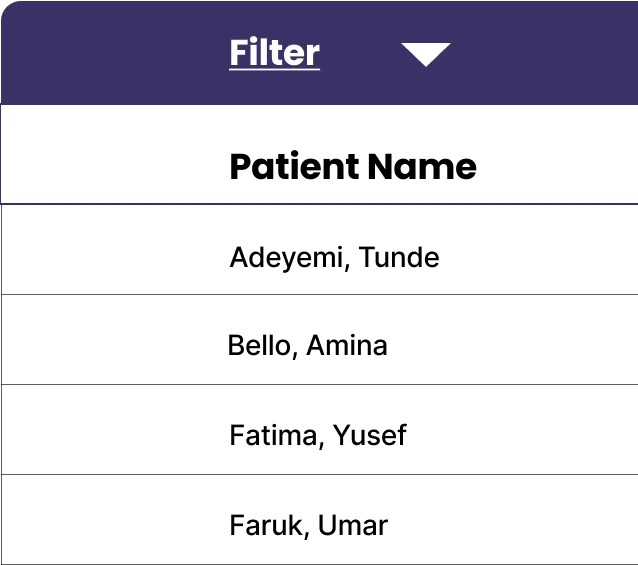
Order detailAmina Bello · Order #10003
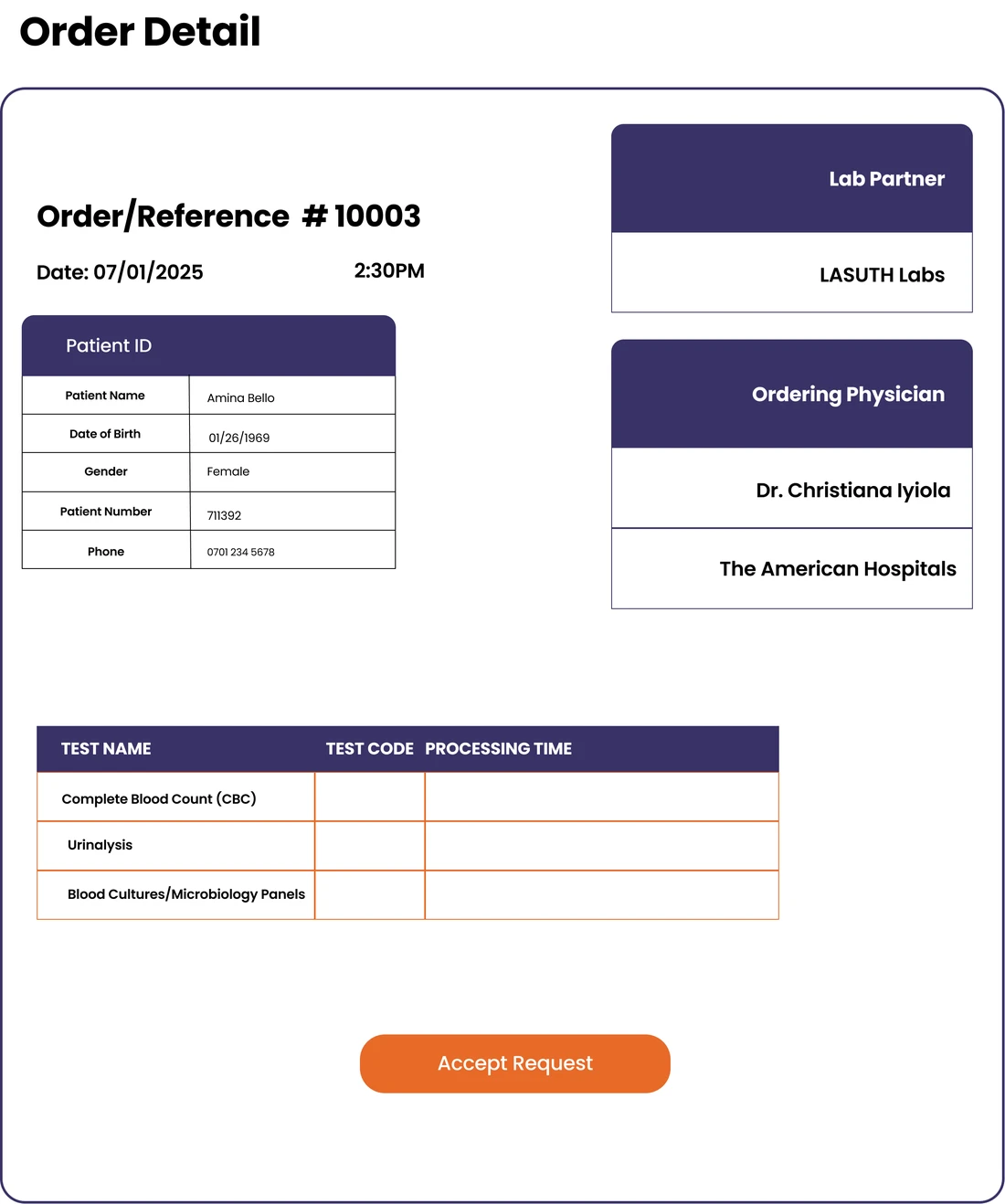
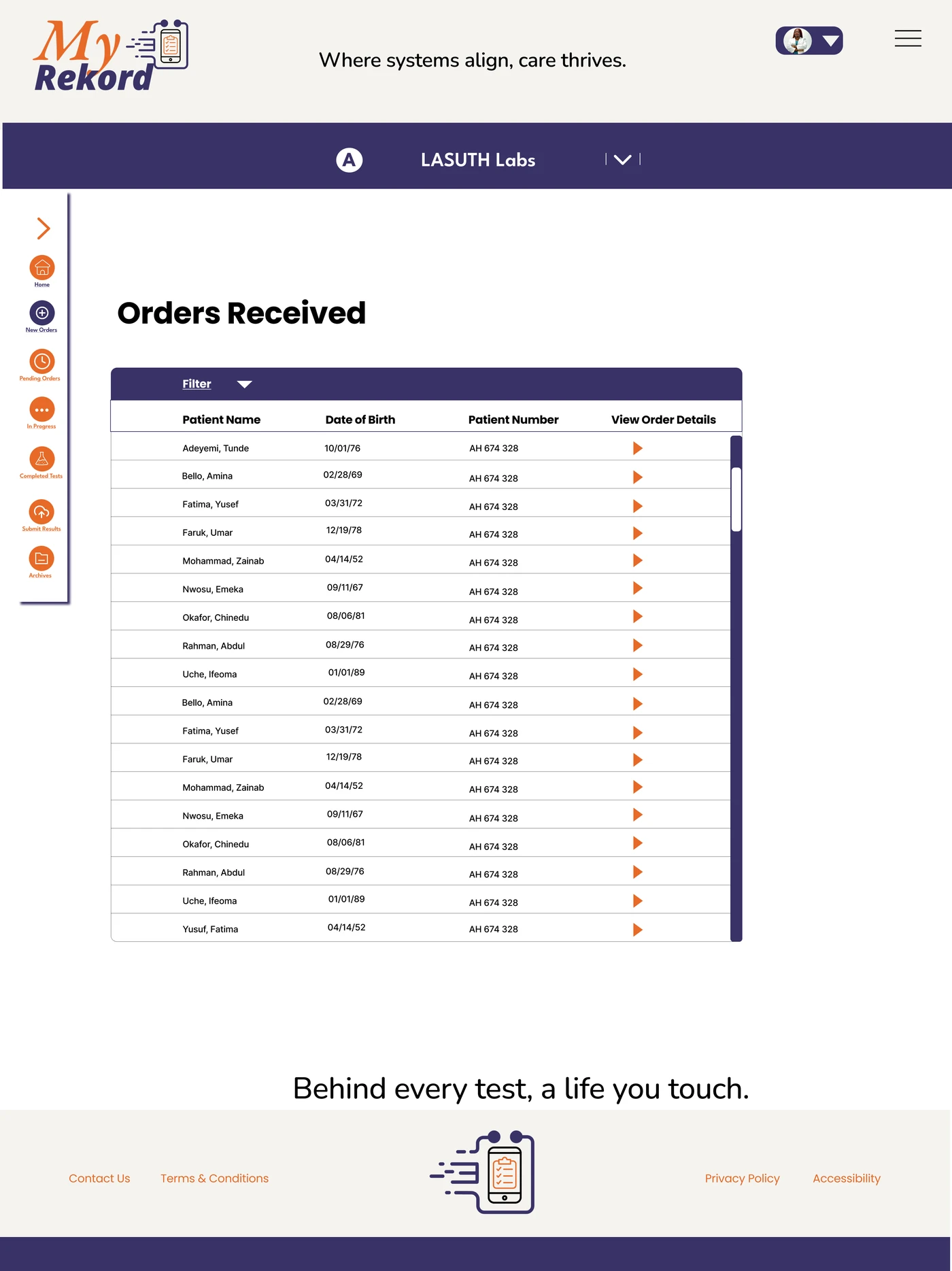
Technicians open an order from the queue and accept it from the detail view.
View full lab home
View full queue
View full order detail
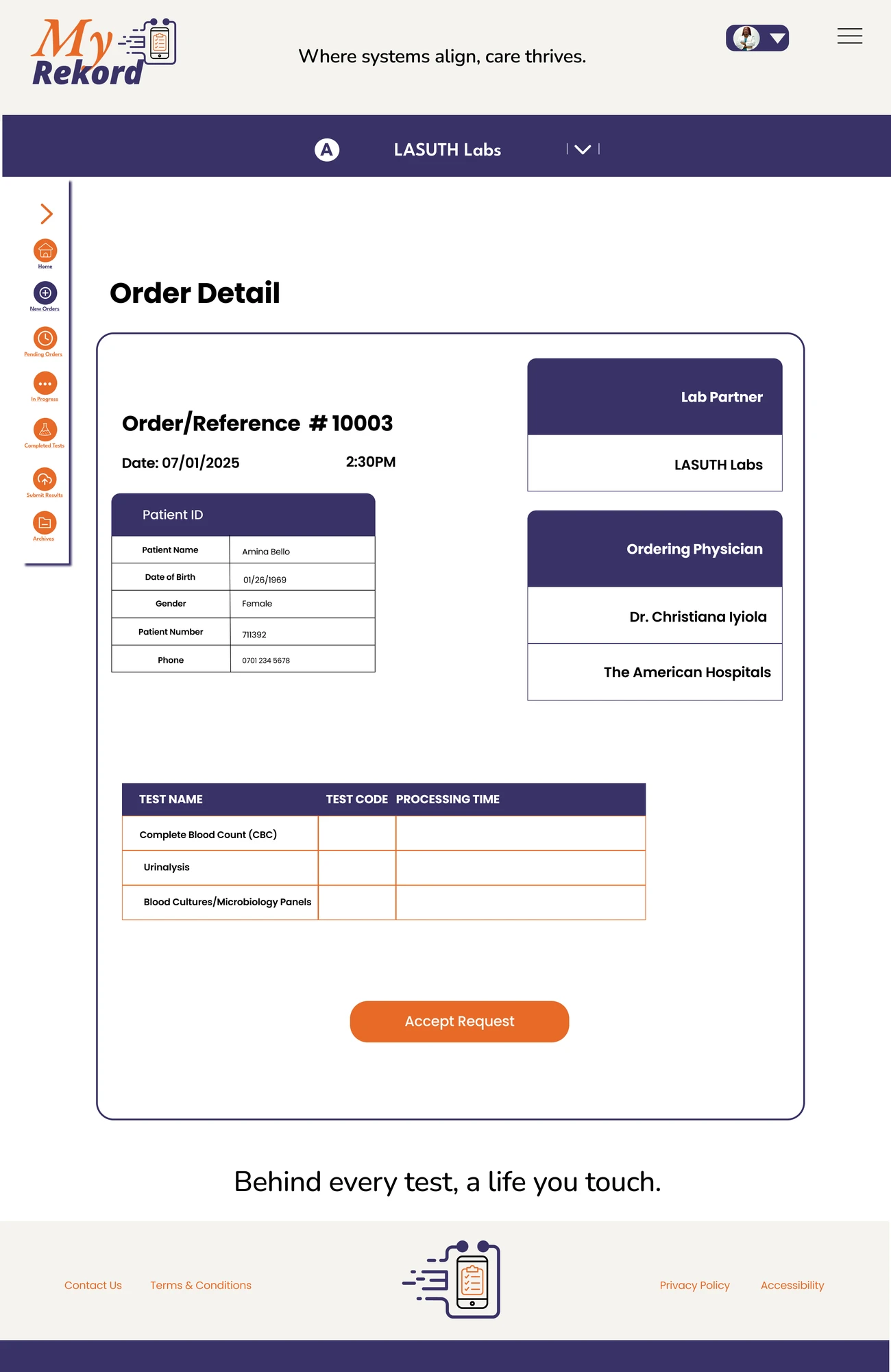
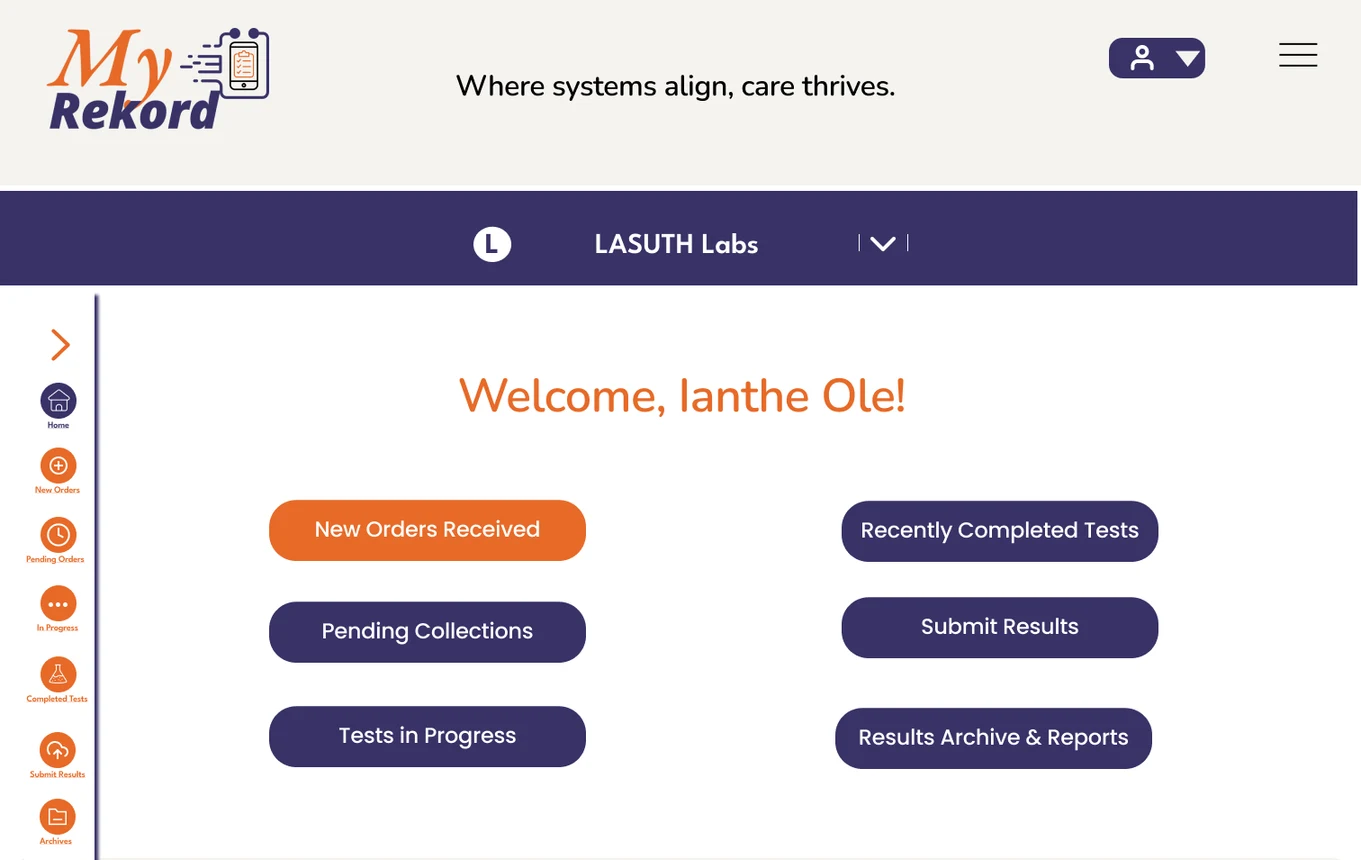
The lab home leads with new orders. The incoming queue helps technicians find an order. The detail view brings patient information, the ordering physician, lab partner, and requested tests together around the Accept Request action.
Hospital administrator
Monitor lab activity
Full table · scroll sideways
View full screen
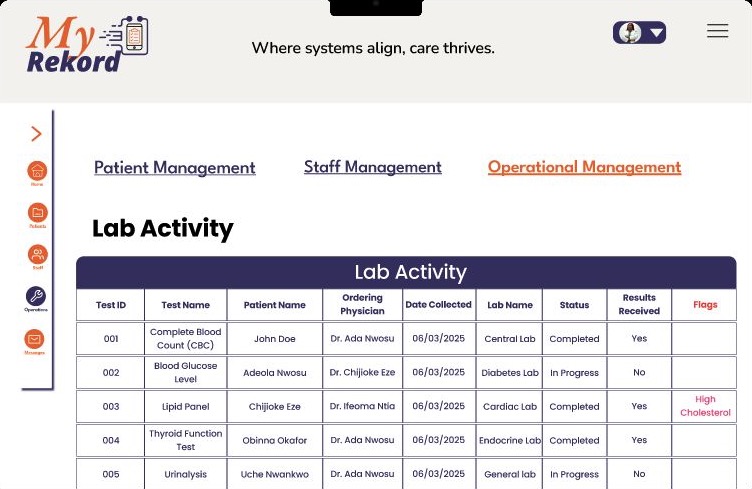
I separated test status, result receipt, and flags so administrators could scan which tests were still in progress, which results had arrived, and which results needed attention.
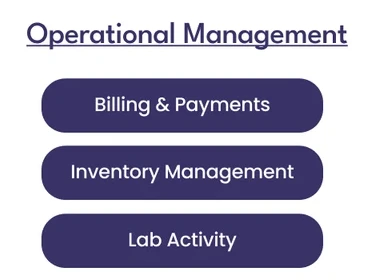
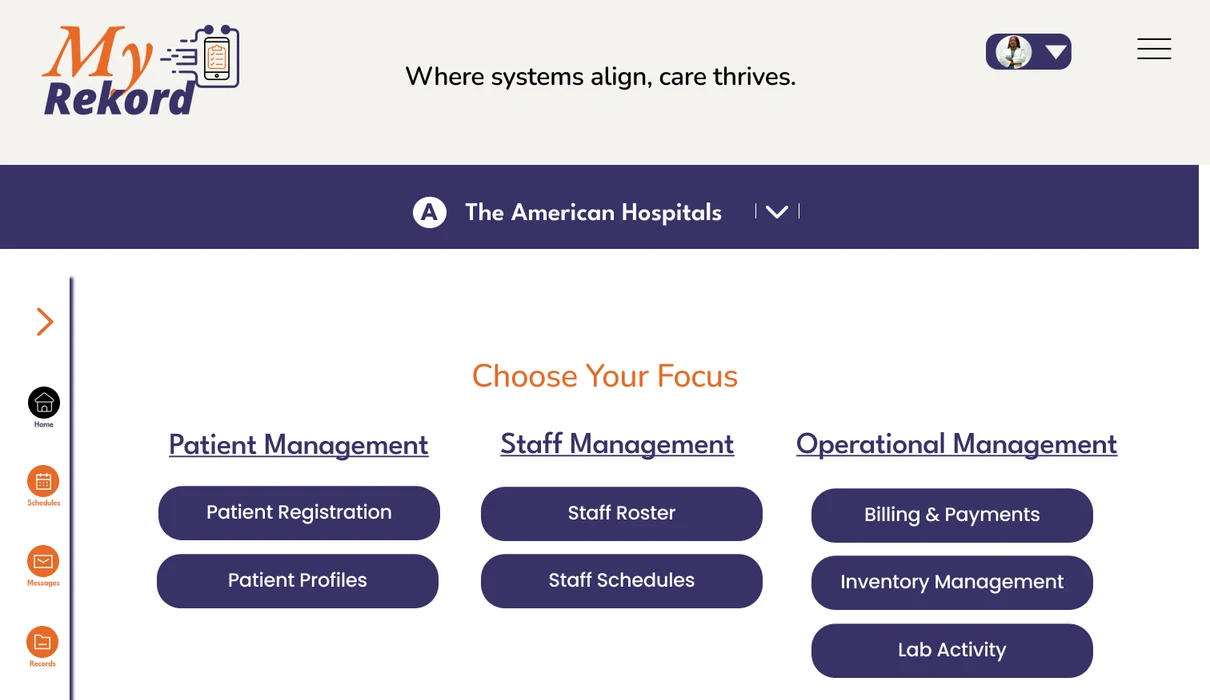
From the home screen: Operational Management → Lab Activity.
View full screen
Validation
From wireframe to tested design
I ran two rounds of usability testing. Round one used low-fidelity wireframes, and round two used the high-fidelity prototype. Seven participants across several roles took part in testing.
- 85% → 98%task success rate, round one to round two
- 15s → 10saverage time on task, round one to round two
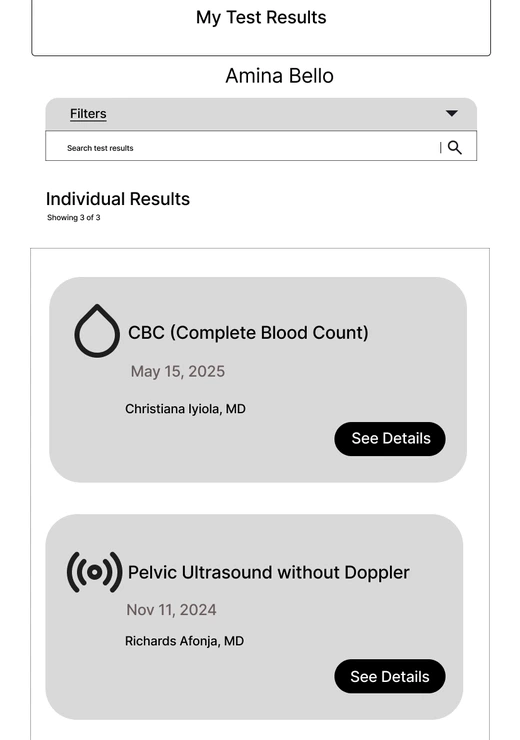
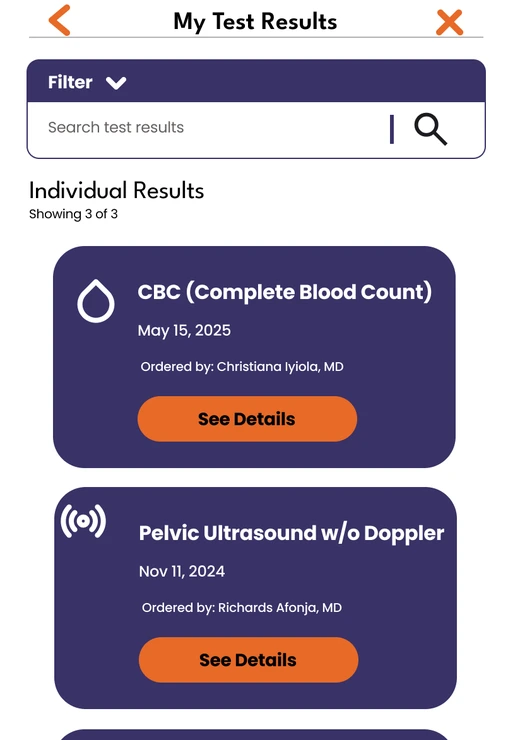
- The physician’s name gains an “Ordered by” label.
- See Details moves from a small black button at the right to a wider, centered orange button.
Outcome
From prototype to build
I presented MyRekord as a proposed platform in June 2025, with an interactive prototype tested across patient, clinician, lab, and administrator roles. It showed the moments that matter most after a lab result: a patient asking a question from the report, a clinician moving to follow-up, a lab accepting an order, and an administrator seeing what’s still outstanding.
After the presentation, I previewed the design with engineers and, acting as product strategist, helped determine what was needed to start the build. When MyRekord was revisited in 2026, the question shifted from what the platform should do to what it would take to build it. I helped develop estimates to guide the search for a development team, using the prototype and workflows to give that conversation a concrete starting point.